

Administration Overview
Administration Overview
The HeartLab Settings menu contains the administrative functions used to manage:
- Access and permissions
- Security settings
- Reporting configuration
- Measurements
- Integrations
- Study workflows
- Organisational setup
These settings can significantly affect the downstream experience for users and may impact organisational security, workflow integrity, and compliance requirements.
Access Administration Settings
To access the administration settings:
- Select your profile name in the top-right corner.
- Select Settings.
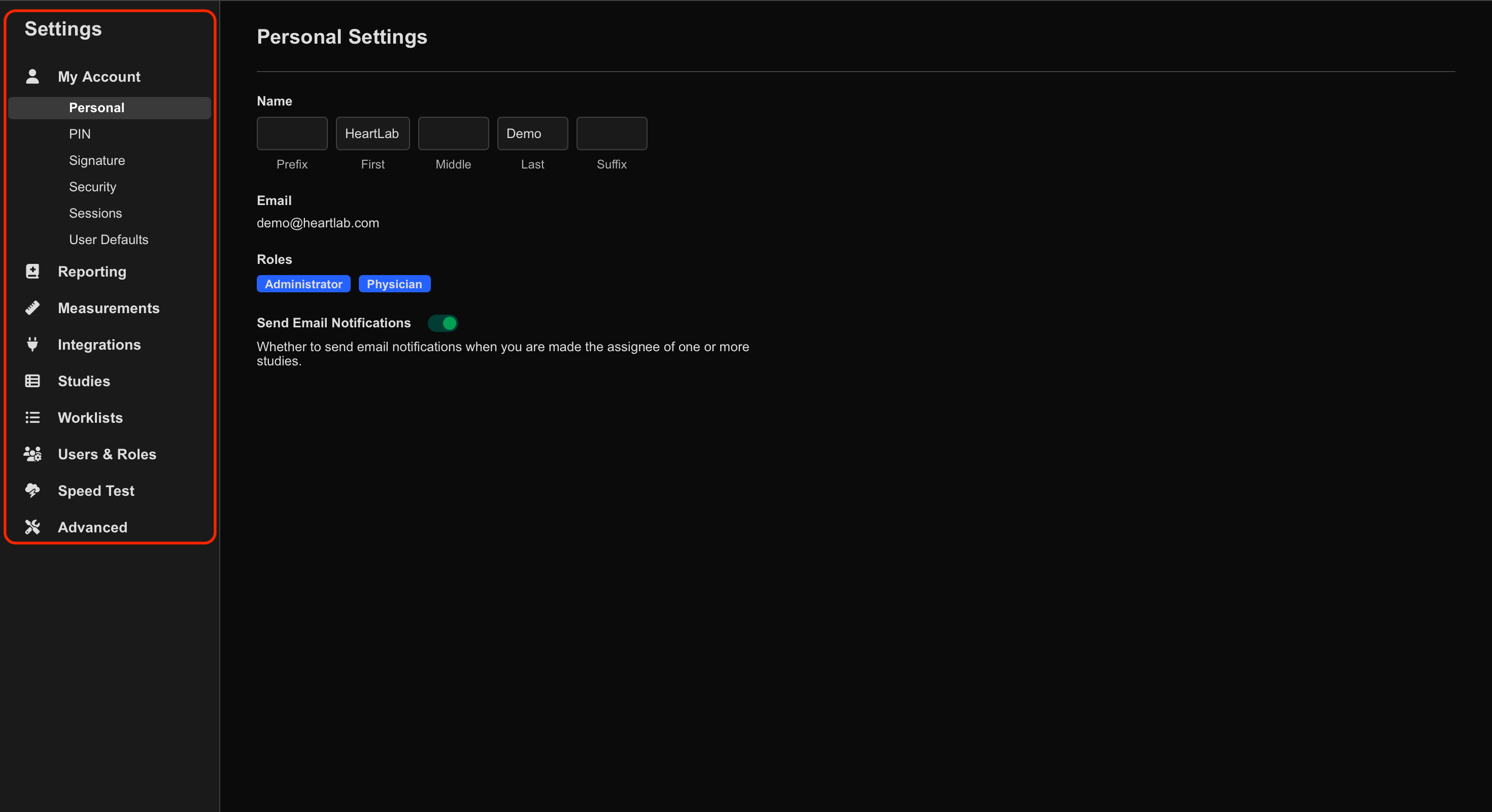
The settings categories appear in the left-hand panel. Selecting a category expands its available subcategories.
Main Administration Areas
My Account
The My Account settings allow users to manage:
- Personal information
- Passwords
- Notification preferences
Users with physician-level permissions can also manage:
- PIN
- Signature
- Logo
Reporting
The Reporting settings allow administrators to configure:
- Report templates
- Sentence libraries
- Report calculations
- Presets
- PDF filename settings
- Reporting workflows
Measurements
The Measurements settings allow administrators to configure:
- Measurement tool conditions
- Measurement sequences
- Custom calculations
- Z-score reference values
- Measurement analysis logic
Integrations
The Integrations settings manage connectivity between HeartLab and external systems.
Supported integration categories include:
- DICOM
- HeartBoxes
- HL7
- SFTP
- Webhooks
Studies
The Studies settings allow administrators to configure:
- Study List columns
- Attached file types
- Study assignment rules
- Workflow behaviour
- Study tags
Worklists
The Worklists settings allow organisations to configure appointment and scheduling workflows.
Worklists may be:
- Entered manually, or
- Automatically populated from external systems such as:
- PMS
- EMR
- Scheduling systems
When integrated, ultrasound machines can query HeartLab directly to automatically populate patient and study information.
Users & Roles
The Users & Roles settings allow administrators to:
- View users
- Manage permissions
- Assign roles
- Review user activity
- Modify role-based access
Administrators can also view:
- Email addresses
- Last login times
- Assigned permissions
Speed Test
The Speed Test tool allows administrators to perform network performance tests to assist with troubleshooting connectivity or performance issues.
This information may help HeartLab Support investigate:
- Slow uploads/downloads
- Connectivity issues
- Network instability
Advanced
The Advanced settings provide additional configuration options for:
- Reporting behaviour
- Security controls
- Study assignment
- Workflow integrity
- Miscellaneous system preferences
Examples include:
- Internal Notes
- PIN requirements for report sign-off
- Amendment reason requirements
- Preliminary report watermarks
- Mandatory field enforcement
Audit Logs
HeartLab Audit Logs allow administrators to review actions performed within the organisation’s HeartLab environment.
Audit Logs include:
- User activity
- Patient-related actions
- Authentication methods
- IP addresses
- Dates and timestamps
Audit Logs can be filtered by:
- Date
- Action
- Patient ID
- User
- Authentication method
To access Audit Logs:
- Select your profile name in the top-right corner.
- Select Audit Logs.
 MFR
MFR