

Measurements
Volume
Create and save ventricular or chamber volume measurements from the study viewer.
Volume Measurements
HeartLab allows users to create post-processing volume measurements directly within the study viewer. Volume measurements can be created using either continuous freehand tracing or point-by-point contour tracing.
This guide explains how to create, refine, and save volume measurements.
Steps
Step 1: Select the Volume Tool
- Open the Study Viewer.
- Select Volume from the Measurement Toolbar.
Step 2: Define the Contour
You can define the measurement contour using either of the following methods.
Option A: Freehand Tracing
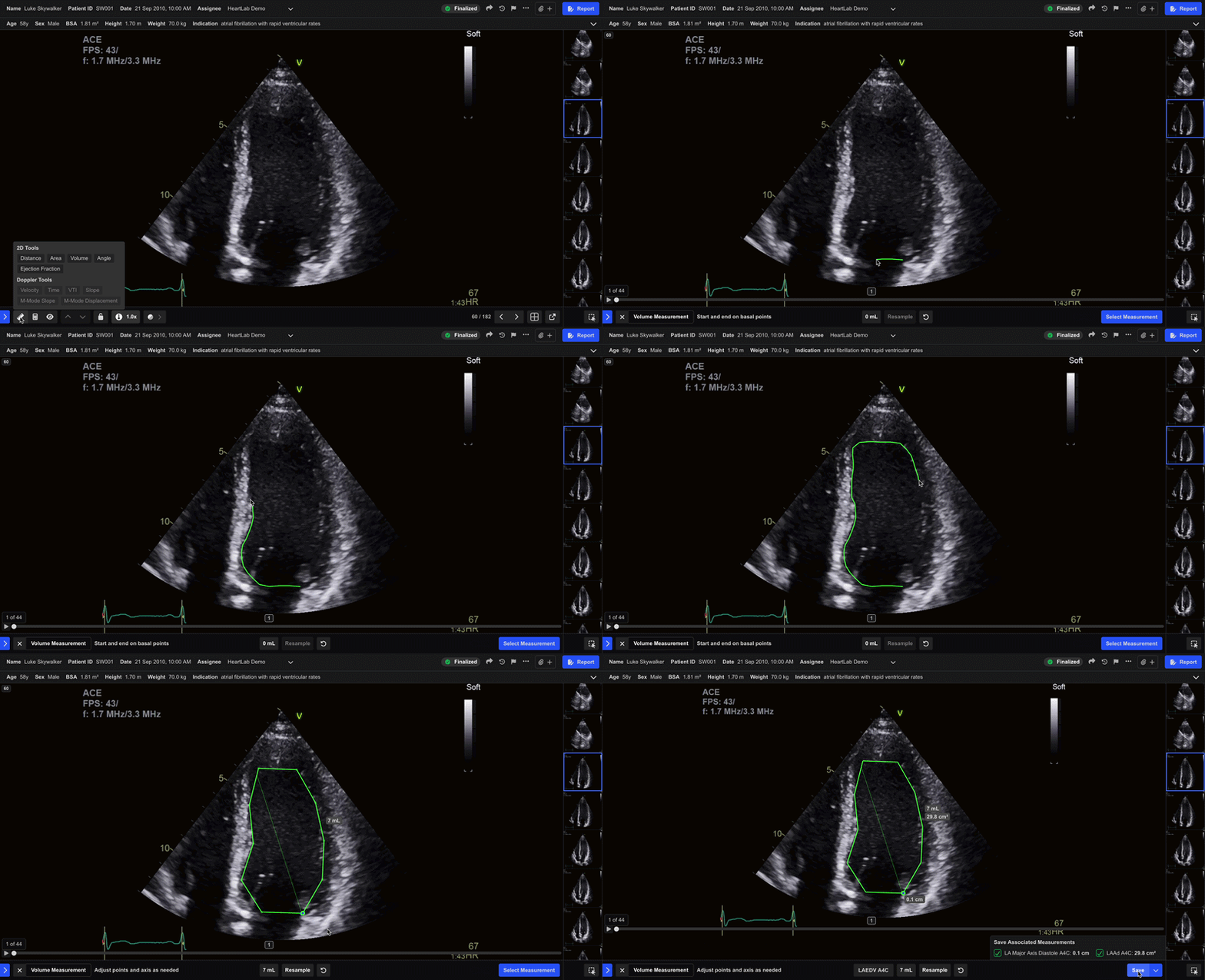
- Click and drag in one continuous motion to trace the desired contour.
- Release the mouse to complete the measurement.
If you release the mouse before completing the contour, or double-click during tracing, HeartLab automatically closes the contour by connecting the final point to the starting point.
Option B: Point-by-Point Tracing
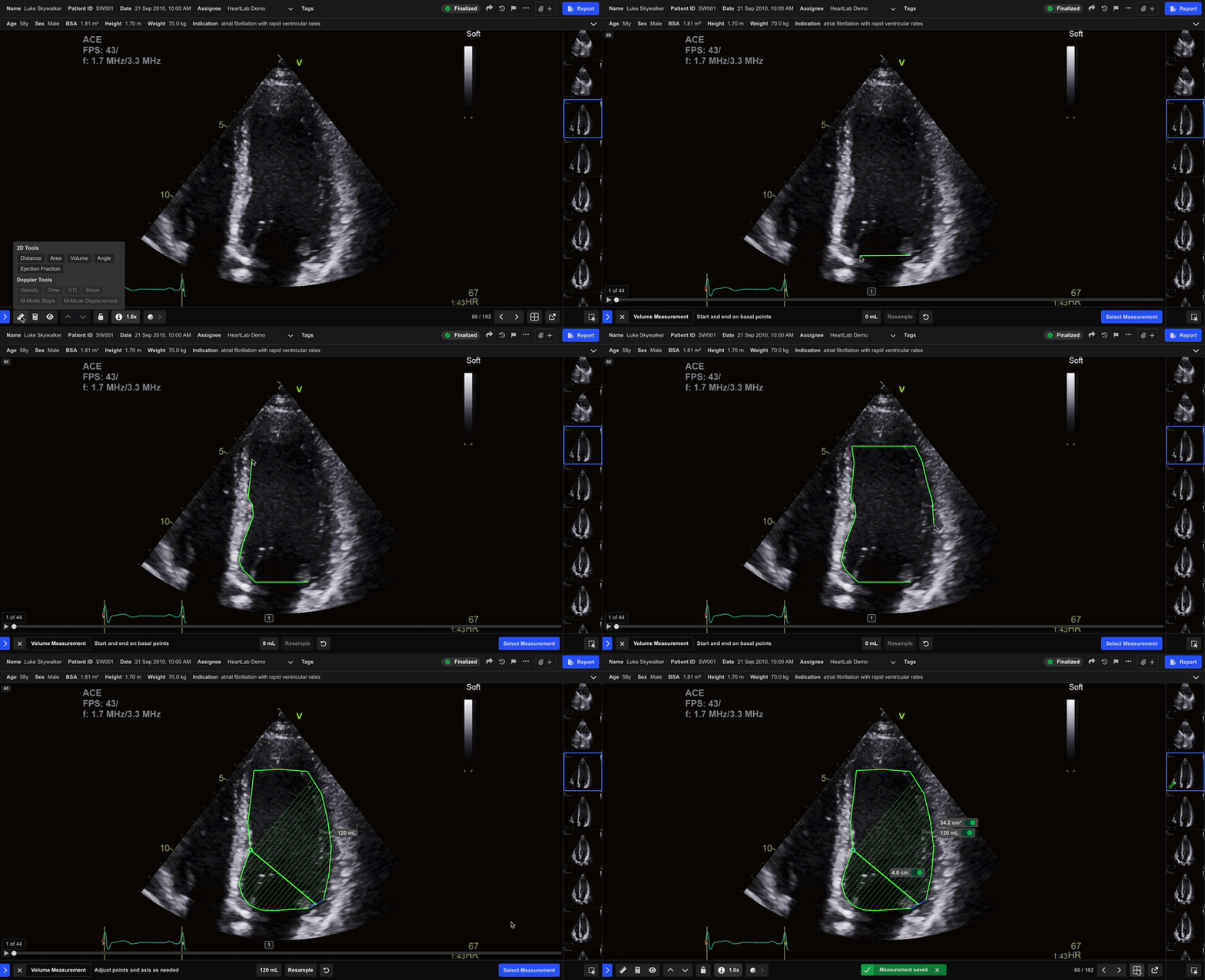
- Click around the contour to define the structure point by point.
- Double-click to complete the measurement.
Double-clicking before returning to the starting point automatically closes the contour by connecting the final point to the starting point.
Step 3: Review the Measurement
Once the contour is complete, HeartLab displays the calculated volume value on both the image and the lower measurement pane.
You can then choose to:
- Adjust contour and axis points
- Resample the contour
- Retake the measurement
- Save the measurement
Step 4: Save the Measurement
- Select Select Measurement or press Enter.
- In the pop-up window:
- Search, scroll, or create a measurement label
- Select the appropriate measurement type
- Optionally include related measurements
- Click Save or press Enter.
After Saving
The saved measurement appears:
- Highlighted in green on the playback bar
- Labelled with the measurement type
Hover over the highlighted section to:
- Preview the measurement
- View the measurement value
Use frames with clearly visible endocardial borders to improve measurement reproducibility and contour accuracy.
 MFR
MFR