

Administration
CSV Export
Export filtered Study List data to CSV for operational reporting and analysis.
CSV Export
HeartLab allows users to export Study List data as a CSV (Comma Separated Values) file for offline analysis, reporting, and archiving.
Access the Export Feature
To open the export dialog:
- Navigate to the Study List.
- Select the Export icon in the top-right corner.
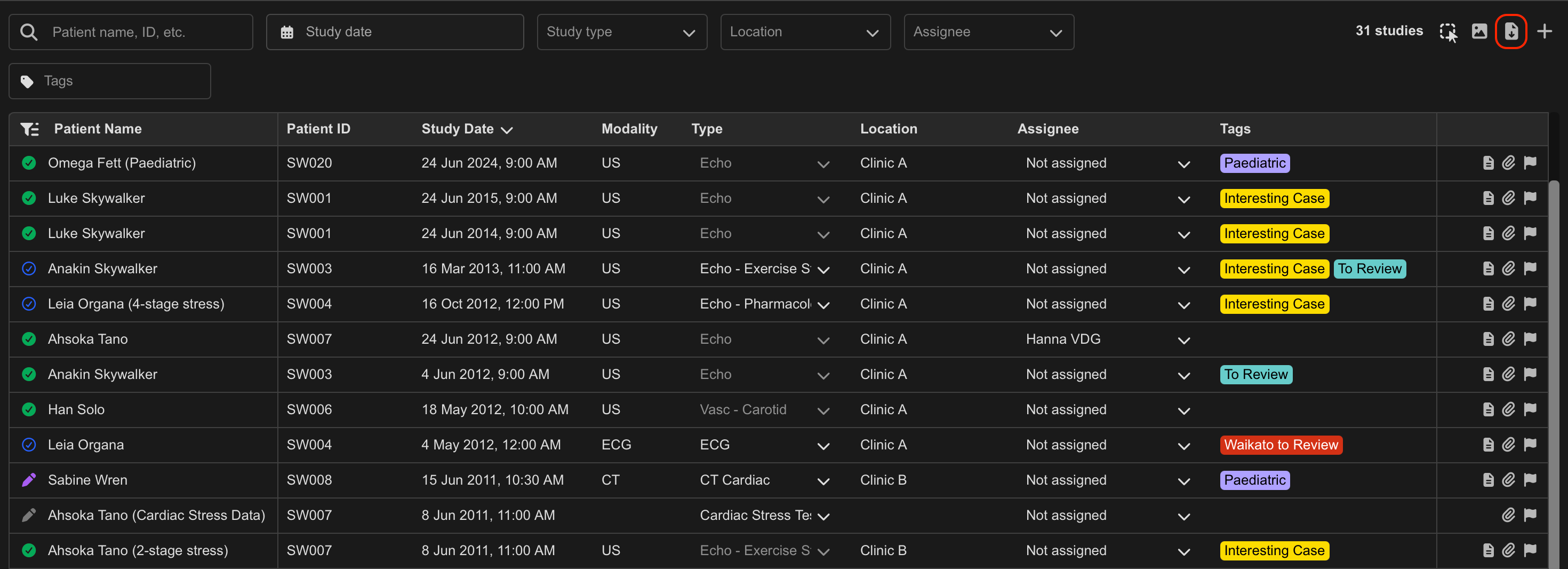
This opens the export dialog.
Export Study List Data
Within the export dialog, configure the required filters:
- Date Range — define the study date range
- Assignee — filter by assignee
- Performed By — filter by operator
- Referred By — filter by referring Physician
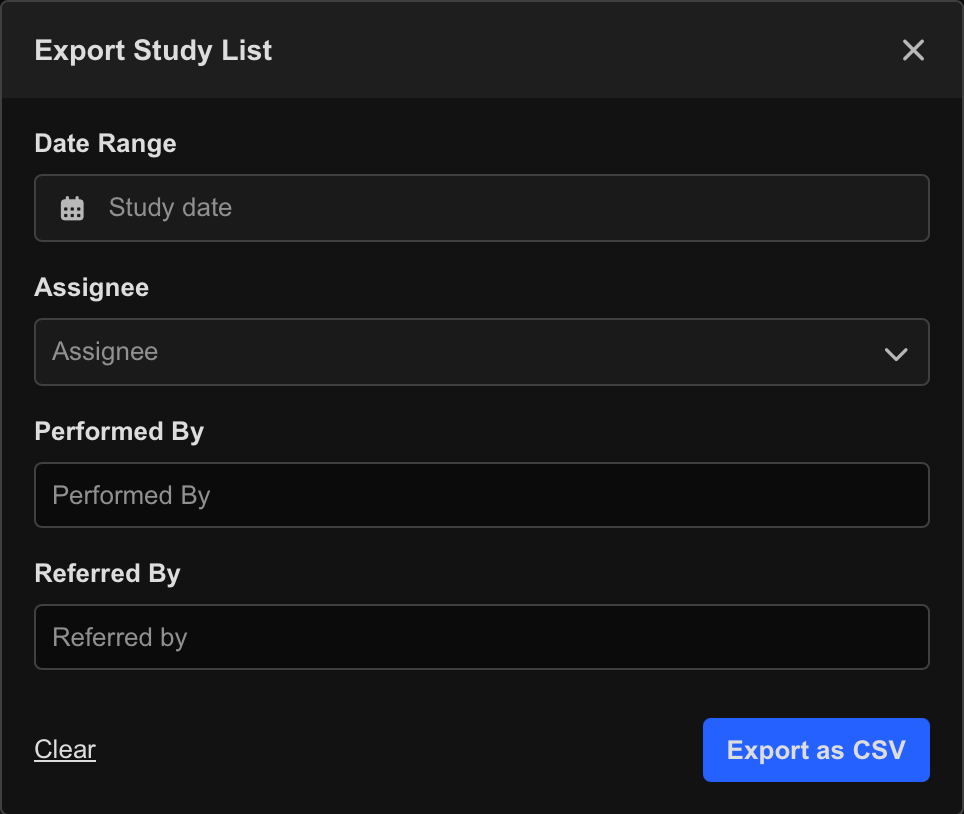
To export the data:
- Configure the required filters.
- Select Export as CSV.
- The CSV file is automatically generated and downloaded to your device.
Data Handling Guidance
Exported study data may contain sensitive or patient-identifiable information. Store, transmit, and share exported files in accordance with your organisation’s privacy, security, and data retention policies.
Ensure exported data is only shared with authorised individuals and handled in compliance with applicable privacy and data protection regulations.
 MFR
MFR