

Report Templates
Format Templates
Adjust report typography, spacing, layout, and optional components in template styling controls.
Format Templates
HeartLab allows administrators to customise the appearance and layout of report templates to match organisational and clinical preferences.
Formatting controls help:
- Improve report readability
- Standardise report presentation
- Support organisational branding
- Ensure consistent clinical documentation
Review formatting changes carefully before publishing to ensure the report layout remains clinically appropriate and easy to read.
Open Template Formatting Controls
To edit report template formatting:
- Navigate to Settings → Reporting → Templates.
- Select the desired report template.
- Select Edit.
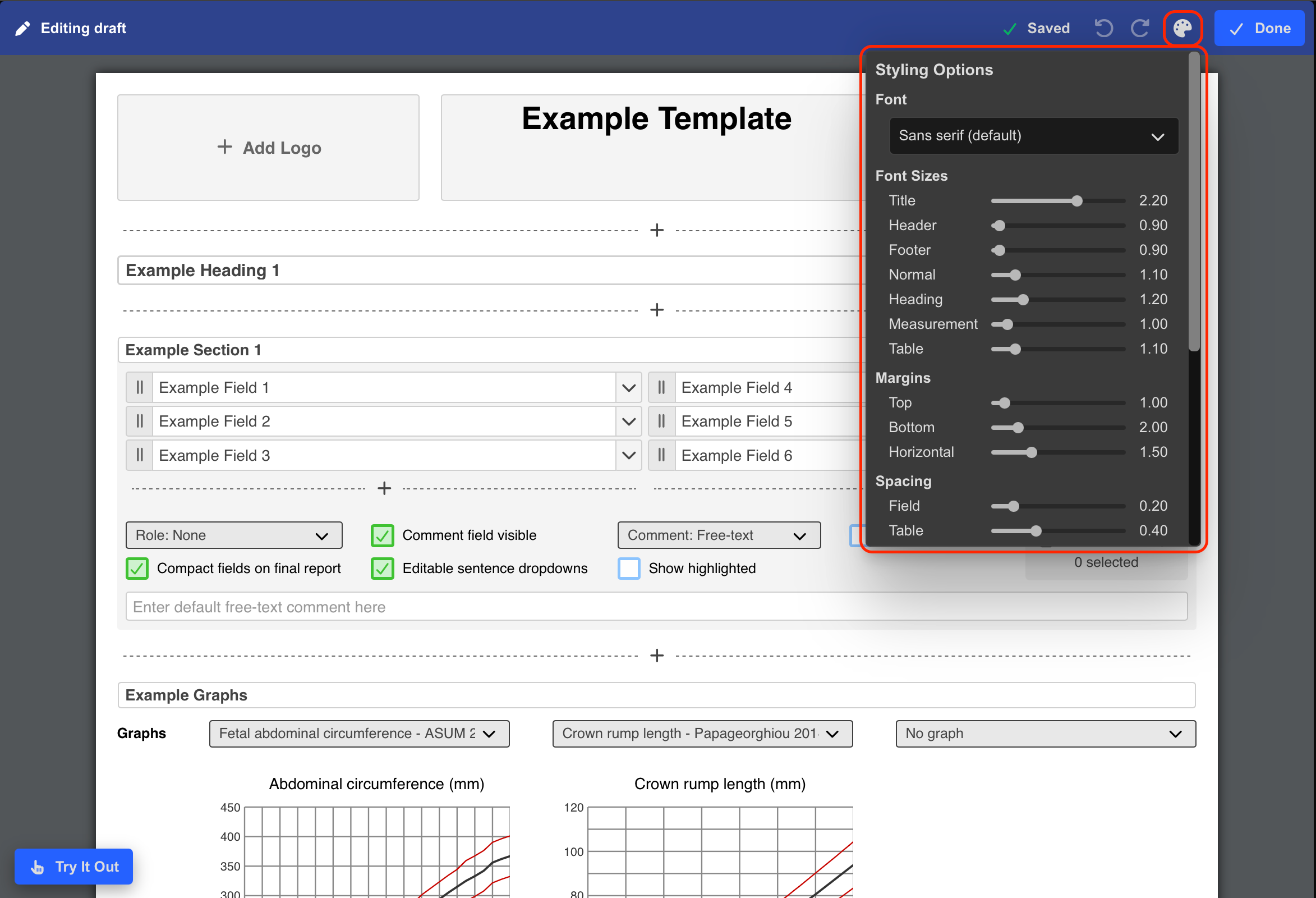
- Select the Paint Palette icon.
Adjust Report Styling
The formatting panel allows you to customise:
- Fonts
- Font sizes
- Margins
- Section spacing
- Layout spacing
Formatting sliders can be used to adjust:
- Report title size
- Section header size
- Body text size
- Table text size
- Measurement text size
Changes update the template preview in real time.
Add Optional Report Components
Additional report components can also be enabled or disabled, including:
- Measurement groups
- Signatures
- Medical history fields
- Indication fields
- Report sign-off date and time
- Patient information sections
These options can be toggled using the controls within the formatting panel.
Preview Template Formatting
To preview formatting changes:
- Select Try it out.
This opens an interactive preview of the report template.
Users can also preview:
- Preliminary reports
- Final reports
to review how the rendered PDF output will appear.
Publish Formatting Changes
Once satisfied with the formatting:
- Select Done.
- Select Publish.
Formatting changes do not become available to users until the template has been published.
Enable a Report Template
To make the template available during reporting:
- Enable the template toggle within:
- The Report Template Editor, or
- The Reporting Settings page
Additional Notes
Use standardised formatting across templates to improve consistency and readability across reports.
Preview templates after formatting changes to ensure spacing and page layouts remain clinically appropriate.
If these settings are unavailable, your role may not include the required permissions.
 MFR
MFR