

Study Management
Attach Files
Attach supporting files to studies and classify them by file type.
Attach Files
HeartLab allows supporting files to be attached directly to studies, helping keep all relevant documentation accessible within a single workflow.
Common attached files may include:
- PDFs
- Referral documents
- External reports
- Supporting clinical documentation
Centralising files alongside the study improves accessibility, collaboration, and record traceability.
Attach a File
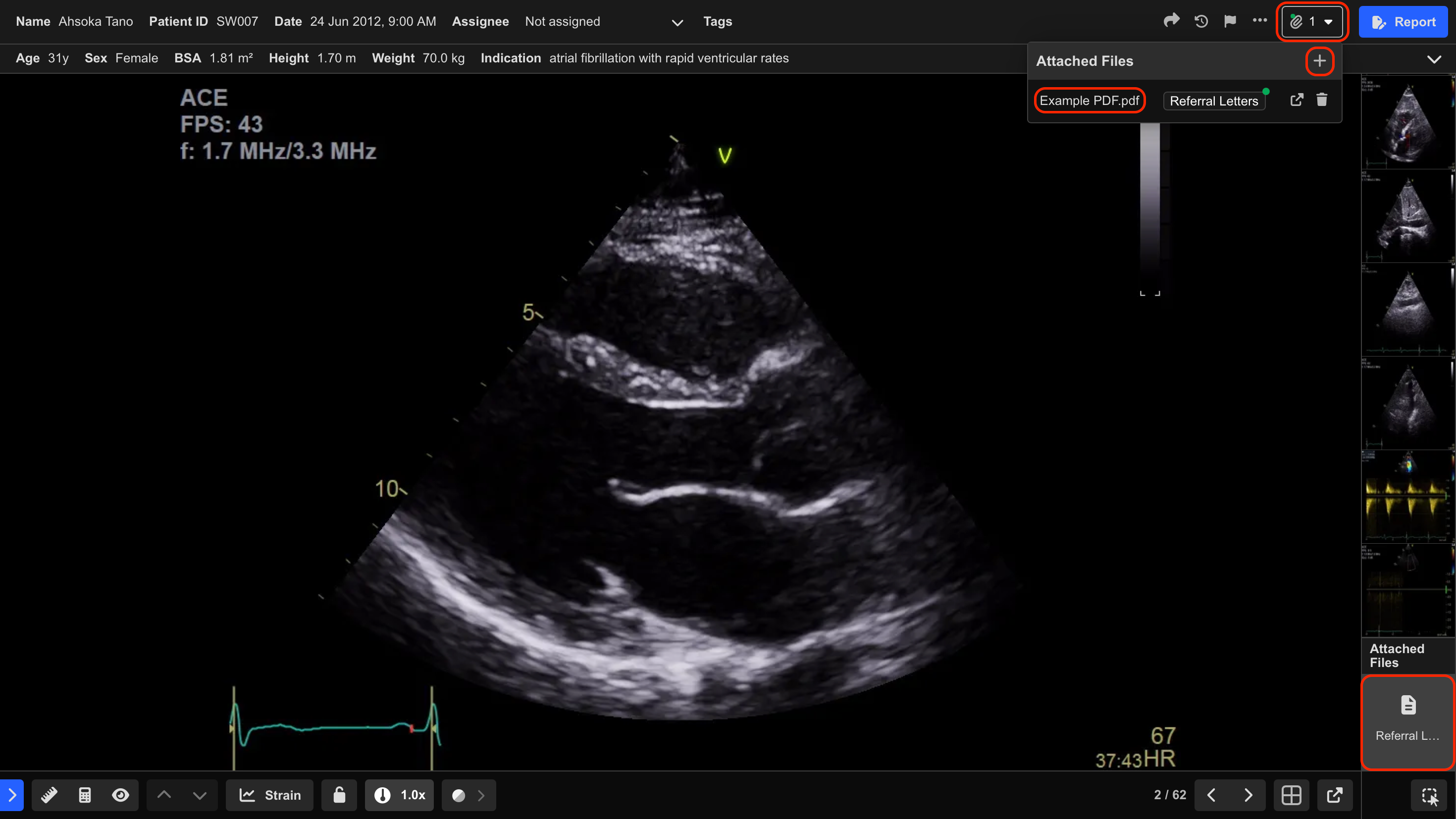
Files can be attached from either:
- The Study List
- The Study Viewer
To attach a file:
- Select the Paperclip icon.
- Select the + button.
- Choose the desired file from your device.
- Optionally select an Attached File Type.
- Select Attach.
Alternatively, select Click to add beside an Attached File Type to automatically classify the uploaded file.
The file uploads directly to the study.
View Attached Files
Attached files can be opened by:
- Selecting the Paperclip icon and choosing the attachment from the list, or
- Selecting the PDF thumbnail in the Clip List
The file opens in the PDF Viewer.
Use the Pop-out icon to open the PDF Viewer in a secondary window.
Attached File Status Indicators
Studies with attached file types configured as Important display a status indicator beside the Paperclip icon.
| Indicator | Meaning |
|---|---|
| Orange dot | One or more required files are missing |
| Green dot | All important files are attached |
Important file requirements are configured by your organisation.
 MFR
MFR