

Study Review
Filter Study List
Filter the Study List using report status, dates, assignments, and other study criteria.
Filter Study List
HeartLab provides filtering tools to help users quickly narrow down studies based on specific criteria such as report status, study type, assignee, clinical location, and dates.
Filtering helps clinicians and staff:
- Locate studies more efficiently
- Prioritise worklists
- Focus on relevant cases
- Reduce time spent manually searching large study lists
Filter by Report Status
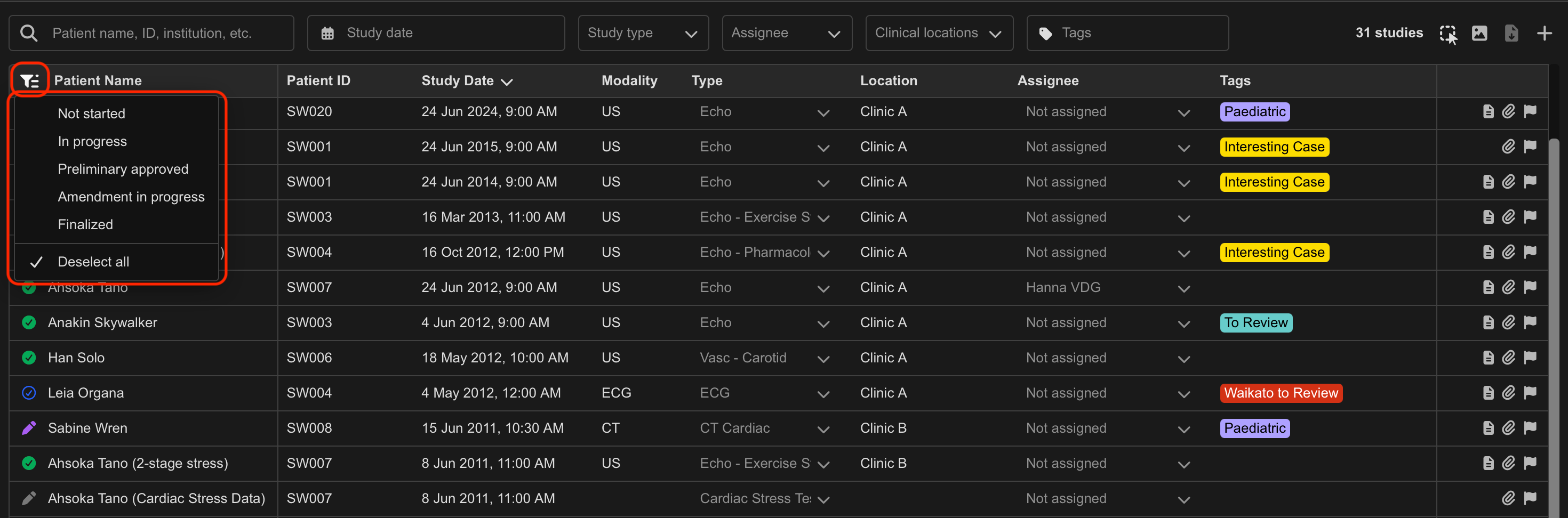
To filter studies by report status:
- Locate the Report Status filter in the top-left corner of the Study List.
- Select the dropdown.
- Select one or more report statuses.
The Study List updates automatically to display matching studies.
Filter by Study Attributes
The following filters are available at the top of the Study List:
- Study Date
- Study Type
- Assignee
- Clinical Location
- Study Tags
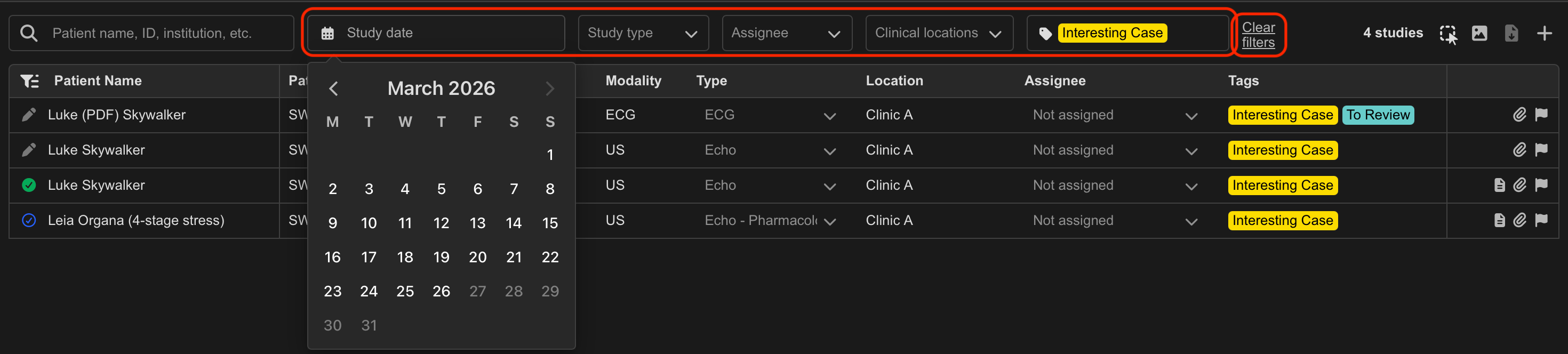
To apply a filter:
- Locate the desired filter.
- Select the dropdown.
- Choose one or more filter options.
For Study Date filters:
- Select the start date.
- Select the end date.
The Study List updates automatically based on the selected criteria.
The Assignee filter also supports Not Assigned, allowing you to quickly identify studies that have not yet been assigned to a user. This can be useful for:
- Managing unassigned worklists
- Identifying studies awaiting review
- Monitoring workflow allocation across teams
Combine Multiple Filters
Multiple filters can be applied simultaneously to further narrow results.
For example:
- Finalised echo studies
- Assigned to a specific physician
- Within a selected date range
Clear Filters
To remove all applied filters:
- Select Clear Filters in the top-right corner of the Study List.
Additional Notes
Applied filters persist after page refreshes and remain active after logging out and back into HeartLab.
Available filters depend on which Study List columns are enabled for your organisation.
Use multiple filters together to create highly targeted worklists for reporting and review workflows.
 MFR
MFR