

Measurements
Use Calculations
Apply configured calculations to studies and save derived values alongside measurements.
Calculations
HeartLab allows users to apply configured calculations using existing study measurements, manually entered values, or a combination of both.
Use this workflow to apply calculations that have already been configured for your organisation.
Steps
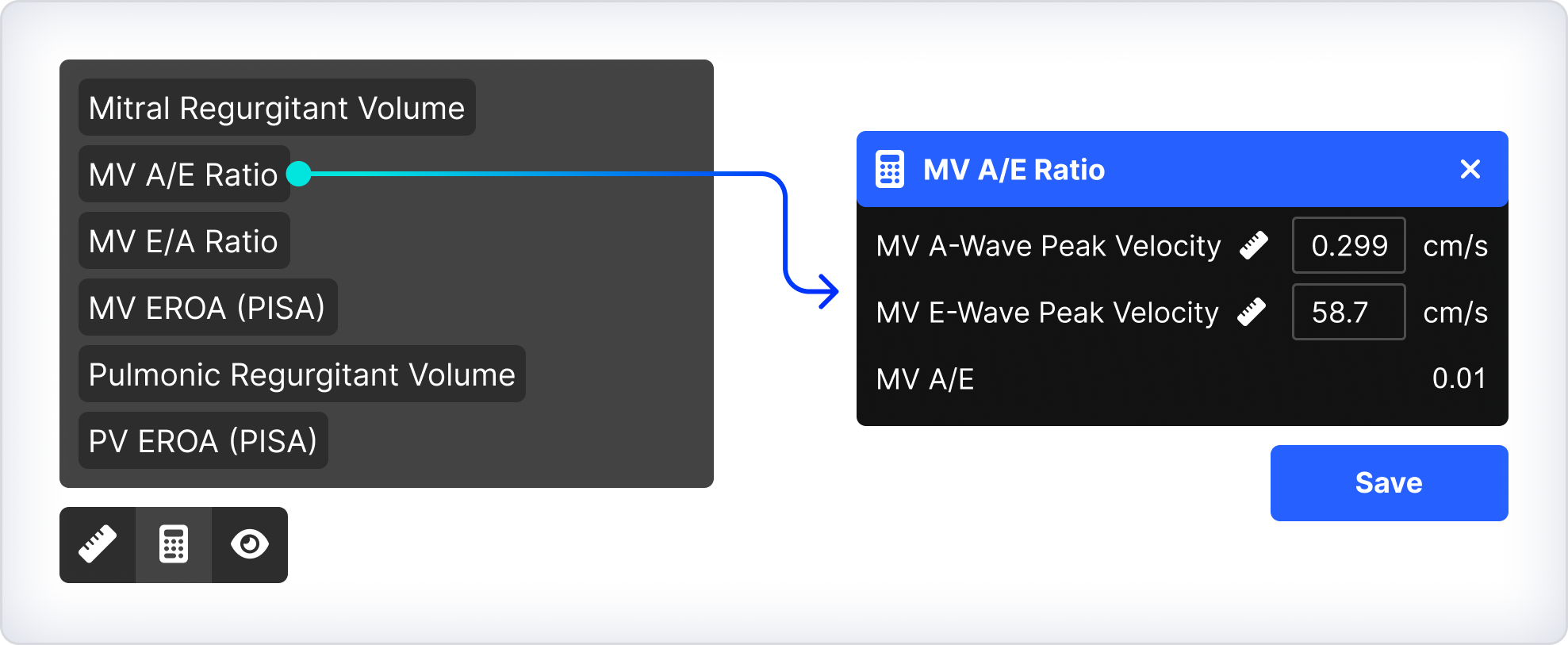
- Select the Calculator icon.
- Choose the required calculation.
- Provide the required inputs:
- Select existing measurements
- Enter manual values where prompted
- Select the Ruler icon to capture any missing measurements
- Ensure the correct clip and frame are selected when capturing missing measurements.
- Review the calculated result.
- Click Save.
The calculated value is automatically generated and saved alongside the other study measurements.
Troubleshooting
If the calculation does not resolve correctly:
- Verify that all required inputs are available
- Confirm that the required measurements are mapped correctly
- Ensure all dependent measurements contain valid values
If required measurements do not exist, the calculation will not resolve until the missing measurements have been created.
 MFR
MFR