

Study Review
Quick-Add Findings and Conclusions
Configure and use Quick-Add to move report sentences into Findings or Conclusions sections.
Quick-Add Findings and Conclusions
HeartLab supports adding sentences from the main body of a report directly into dedicated Findings or Conclusions sections with a single click.
Quick-Add helps:
- Improve reporting efficiency
- Standardise report summaries
- Reduce duplicate typing
- Ensure clinically important statements are highlighted consistently
For guidance on creating or editing report templates, see Creating and Editing Report Templates
Configure Quick-Add
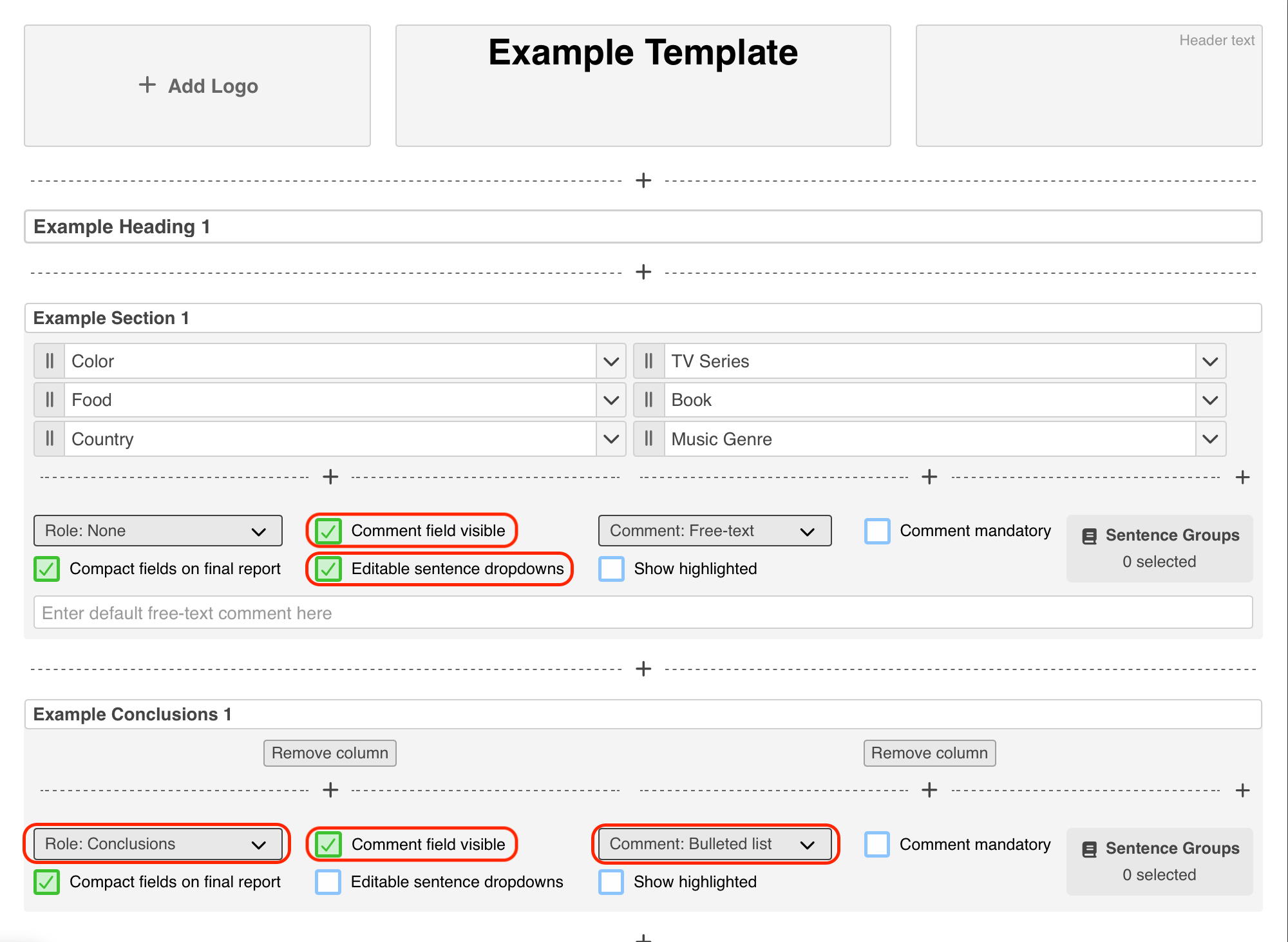
Before Quick-Add can be used, the report template must first be configured with:
- A destination section
- A source section
Configure a Destination Section
The destination section receives Quick-Added sentences.
- Navigate to Settings → Reporting → Templates.
- Select the target report template.
- Select Edit Template.
- Open the section that should receive Quick-Added sentences.
- Under Role, select either:
- Findings, or
- Conclusions
- Enable Comment field visible.
- Select either:
- Bulleted list, or
- Numbered list
Configure a Source Section
The source section sends sentences to Findings or Conclusions.
- Open the section that should provide Quick-Add sentences.
- Enable Editable sentence dropdowns.
This enables the Quick-Add option within reports.
- Optionally enable Comment field visible to allow custom free-text sentences to be Quick-Added.
- Save and publish the template.
Dropdown options must be mapped to report sentences before they can be Quick-Added.
Use Quick-Add
Once configured, users can add report content into Findings or Conclusions during reporting.
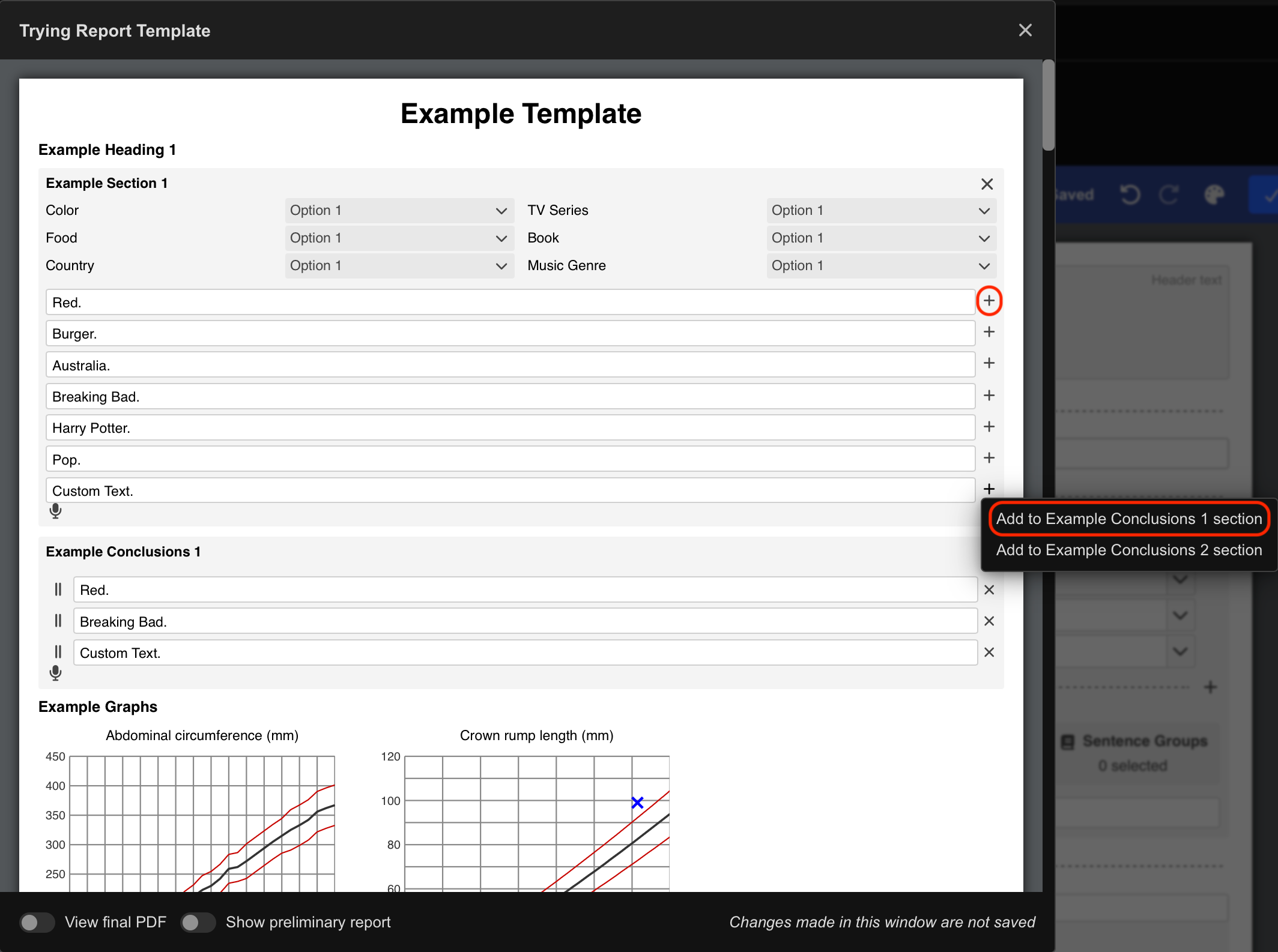
- Navigate to the desired sentence in the report body.
- Select the + icon beside the sentence field.
- Choose the destination section from the dropdown menu.
The sentence is immediately added to the selected Findings or Conclusions section.
Reorder Added Sentences
Quick-Added sentences appear in the order they are inserted.
To reorder them:
- Click and drag the sentence into the desired position.
Additional Notes
Use Quick-Add to streamline conclusion writing and maintain consistency across structured reports.
Bulleted Findings and Conclusions sections generally improve readability for longer reports.
 MFR
MFR