

Report Distributions
Report Distributions
Distributions can be configured to send completed reports and studies to referring physicians, clinics, or external recipients immediately after report sign-off.
Report distributions help:
- Reduce manual administrative work
- Ensure timely report delivery
- Improve communication workflows
- Eliminate the need for manual exporting or emailing
Report Distribution Modes
Each report distribution can be configured with one of the following send modes.
Automatic
Automatic distributions are sent whenever their configured conditions are met.
Automatic distributions:
- Are always enabled
- Cannot be disabled on individual studies
- Support additional filtering such as:
- Required assignees
- Required clinical locations
Opt-In
Opt-in distributions allow users to decide whether reports are delivered for individual studies.
Users can:
- Enable or disable the distribution for individual studies
- Control whether future reports for the study are automatically delivered
Disabled
Disabled distributions remain configured but are not used.
Disabled distributions:
- Are hidden from the study-level distribution dialog
- Do not send reports automatically
- Cannot be manually triggered
Configure Report Distributions
To create or edit a distribution:
- Navigate to Settings → Reporting → Distributions.
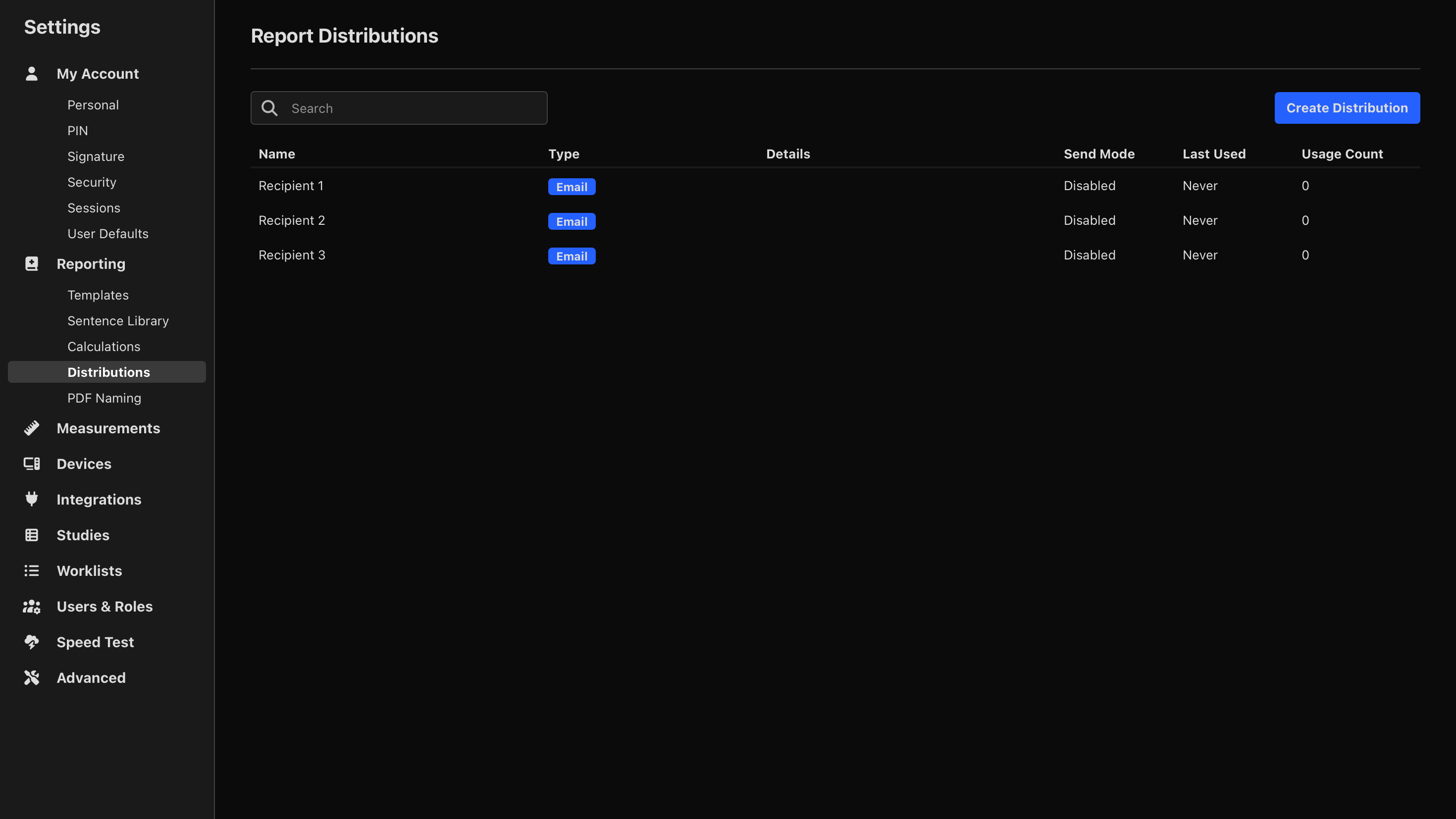
- Select Create Distribution.
- Enter a distribution name.
- Select a distribution type.
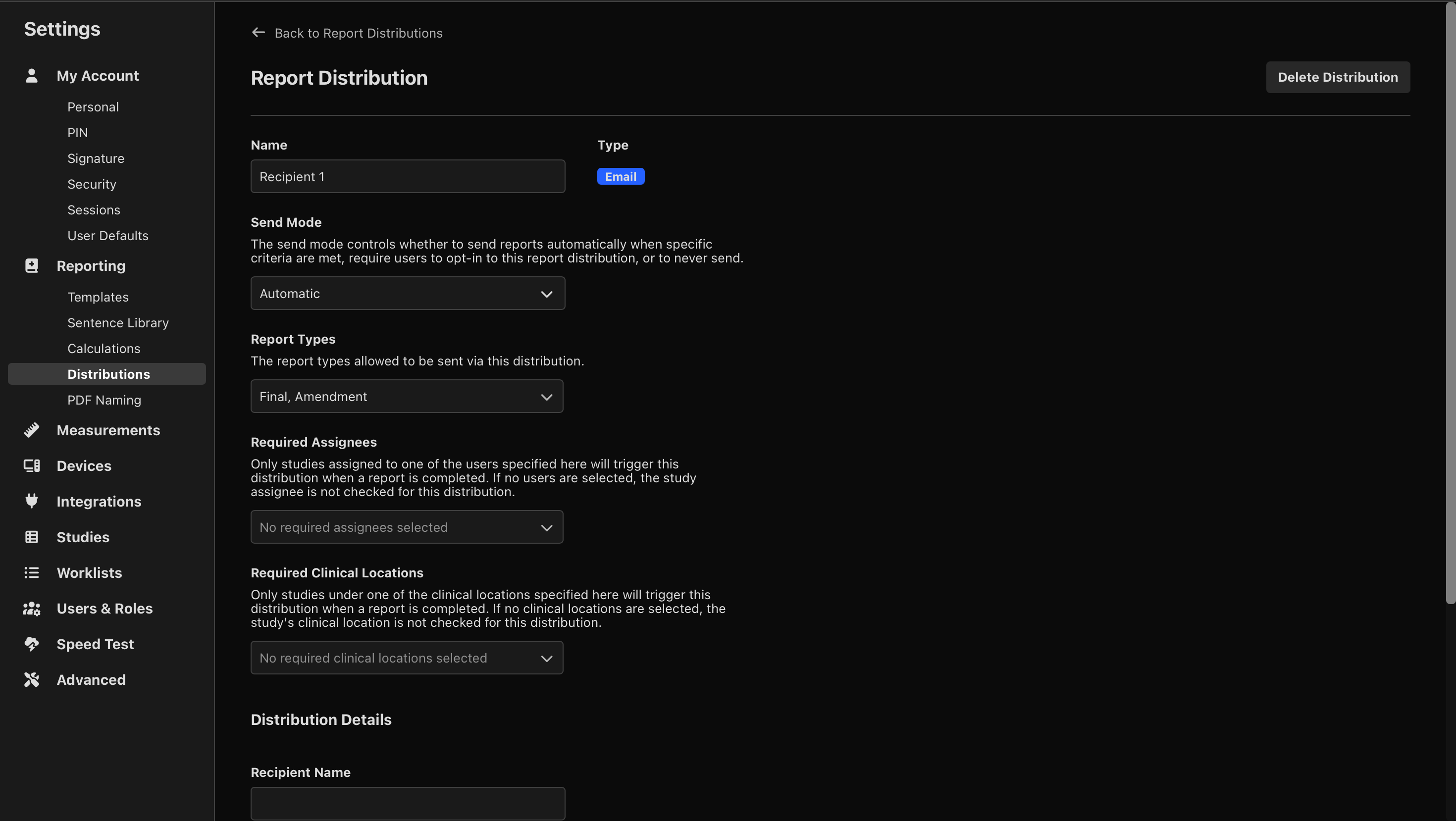
- Select the send mode (Automatic, Opt-In, or Disabled).
- Select the report types that can be sent using this distribution (Preliminary, Final, or Amendment).
- For Automatic distributions, configure any required trigger conditions:
- Assigned users
- Clinical locations
- Report templates
- Referring physician names
- Configure the destination settings for the selected distribution type.
- Save the distribution.
Manage Distributions for a Study
You can manage report distributions directly from an individual study.
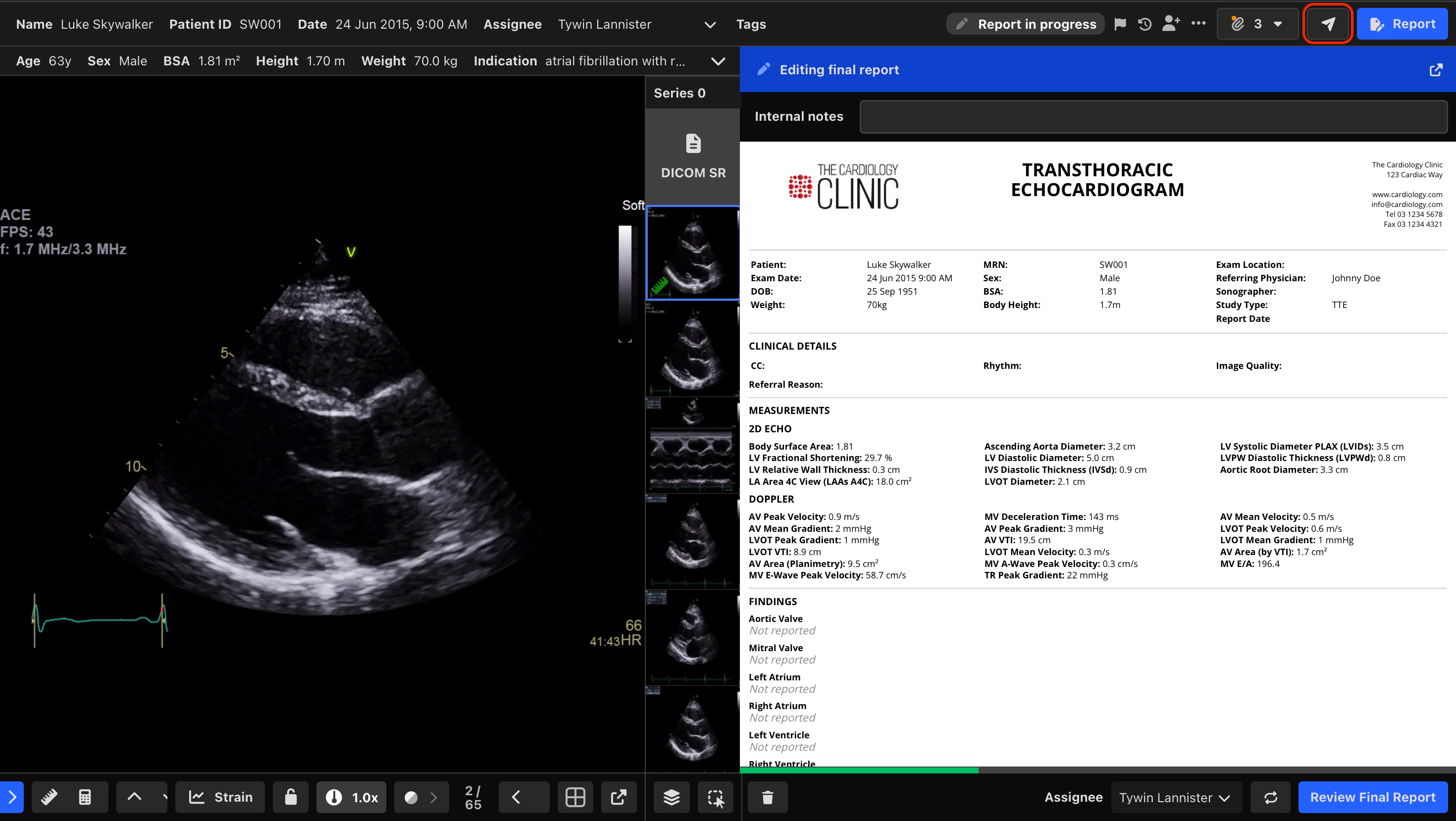
- Navigate to the desired study.
- Select the Report Distributions icon.
Distributions Tab
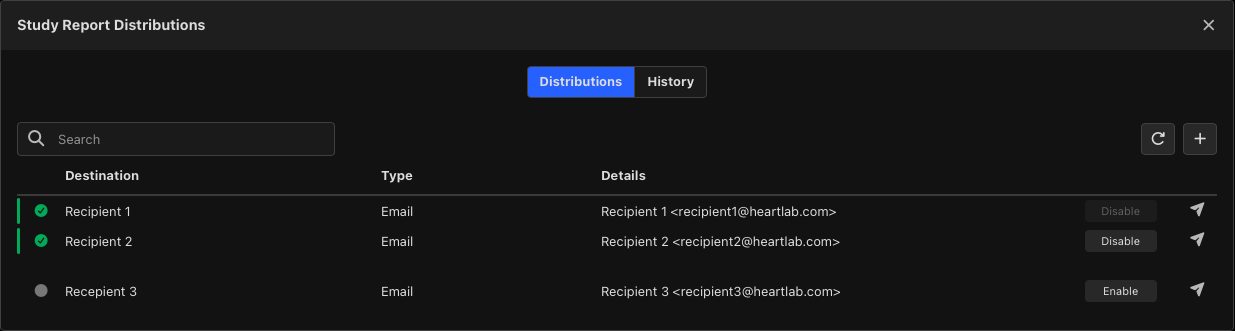
The Distributions tab displays:
- Available distributions
- Distribution status
- Recent delivery status
Enable or Disable an Opt-In Distribution
- Locate the distribution.
- Change the status to Enabled or Disabled as required.
Future completed reports for the study will follow the updated distribution setting.
Create a Custom Distribution
When pre-configuring the report distributions is not practical, e.g. for one-off recipients, a custom distribution can be created for an individual study.
To create a custom distribution:
- Select the + button in the top right:
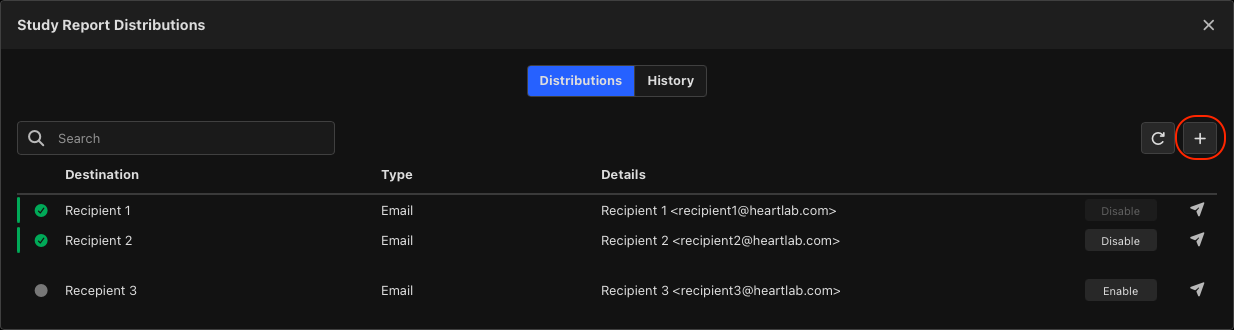
- Select the distribution type, e.g. Email.
- Enter the recipient's email address.
- Ensure Send Latest Report is toggled on if you want to immediately send the study's latest report.
- Select Add Distribution.
The custom distribution appears alongside other report distributions for the study.
Distribution History
Select the History tab to review previous report deliveries.

The History tab displays:
- Delivery date and time
- Destination details
- Delivery status
This includes both pre-configured and custom report distributions.
Previously delivered reports can be re-sent if required.
For more information, see Resending Reports.
 MFR
MFR