

Measurements
Ejection Fraction
Create EF by capturing end-diastolic and end-systolic volume contours.
Ejection Fraction Measurements
HeartLab allows users to create Ejection Fraction (EF) measurements directly within the study viewer. EF is derived from two volume contours: End-Diastolic Volume (EDV) and End-Systolic Volume (ESV).
This guide explains how to create, review, and save EF measurements.
Steps
Step 1: Select the Ejection Fraction Tool
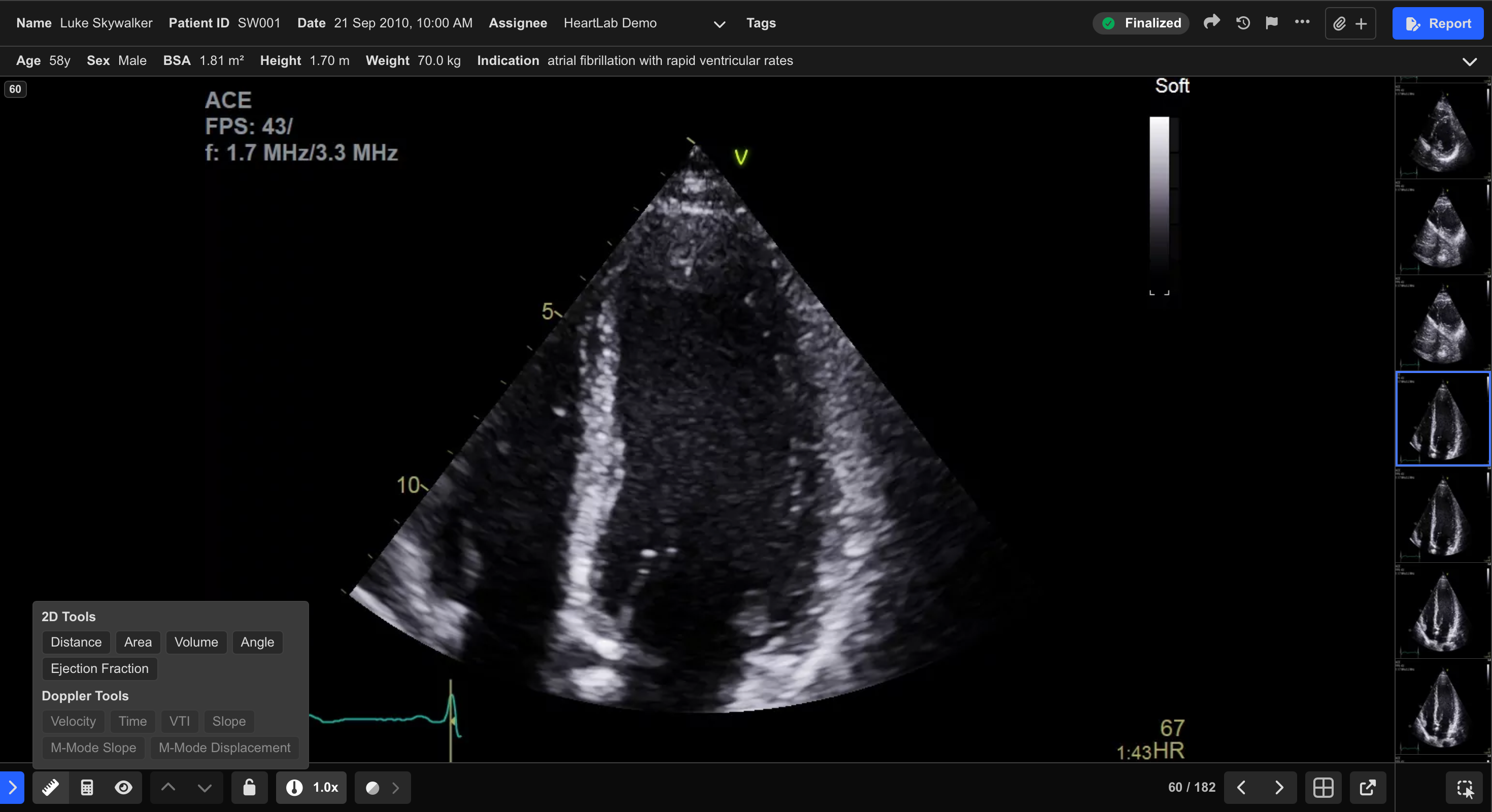
- Select Ejection Fraction from the Measurement Toolbar.
Step 2: Trace the EDV Contour
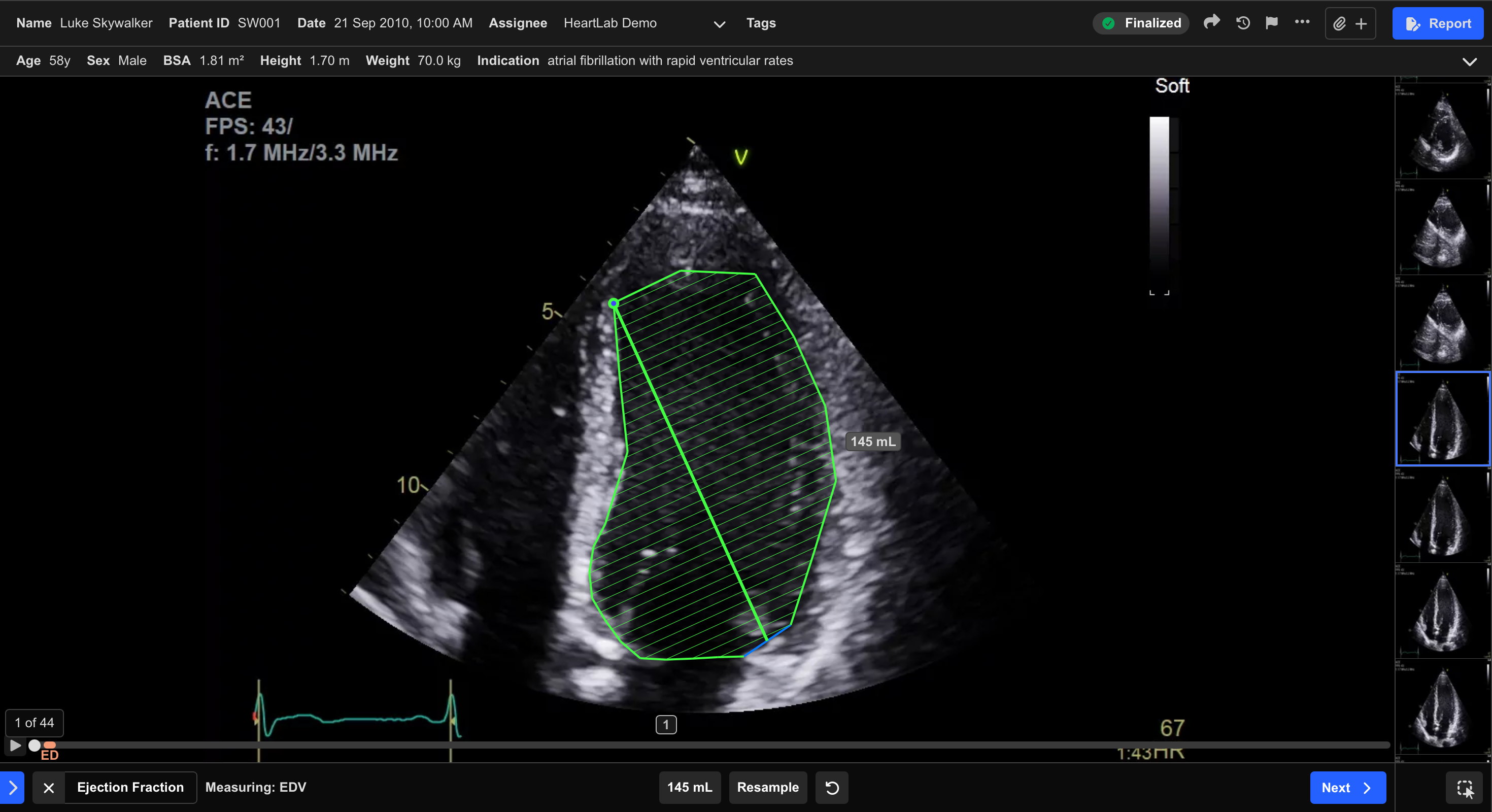
- Move to the end-diastolic frame.
- Trace the EDV contour using the same tracing method used for volume measurements.
Step 3: Trace the ESV Contour
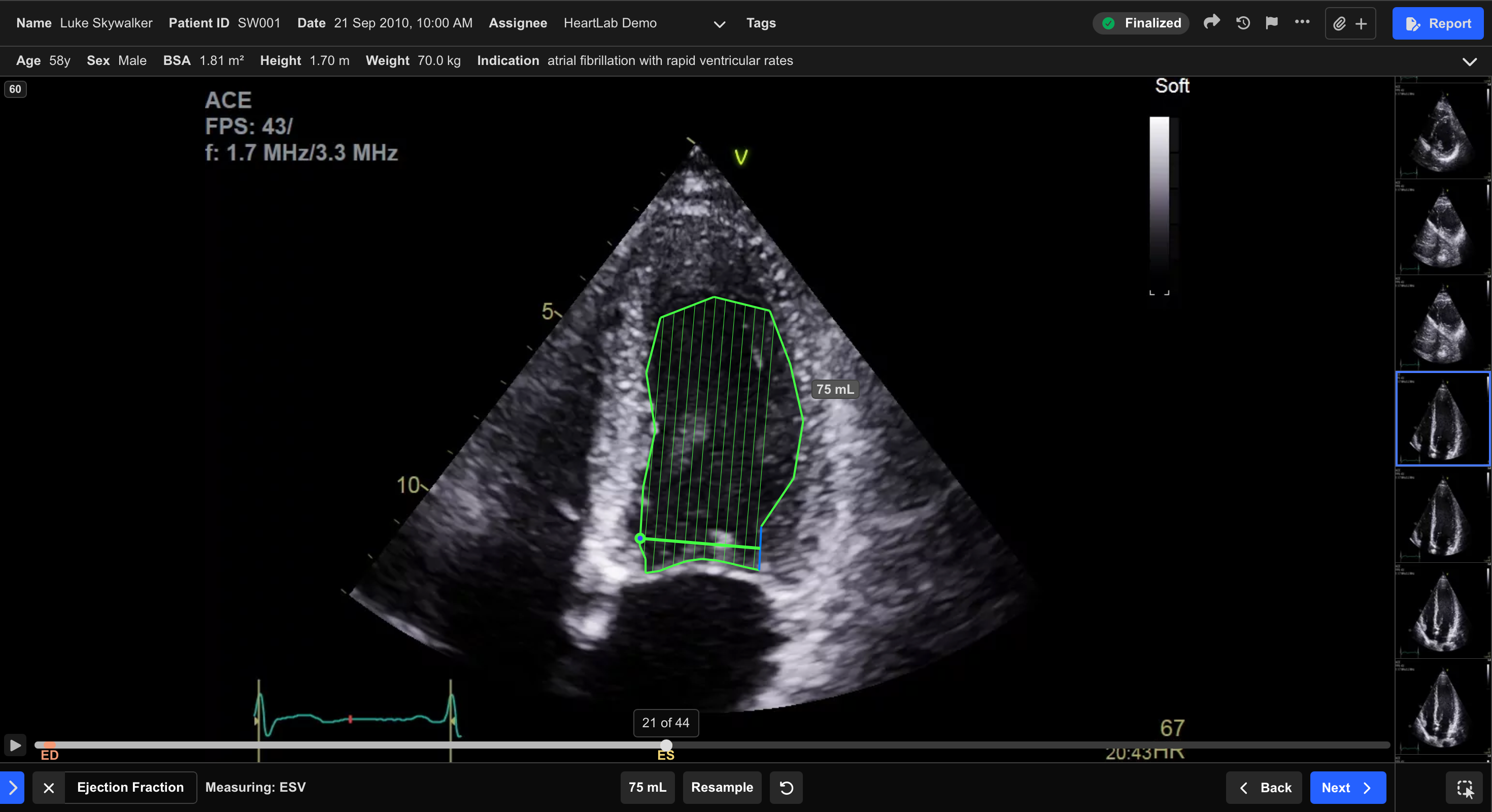
- Move to the end-systolic frame.
- Trace the ESV contour.
HeartLab uses the EDV and ESV contours to derive the EF value.
Step 4: Review the Measurement
Once both contours are complete, HeartLab displays a preview of the derived EF measurement in the lower pane.
You can then choose to:
- Adjust the EDV contour
- Adjust the ESV contour
- Retake the measurement
- Save the measurement
Step 5: Save the Measurement
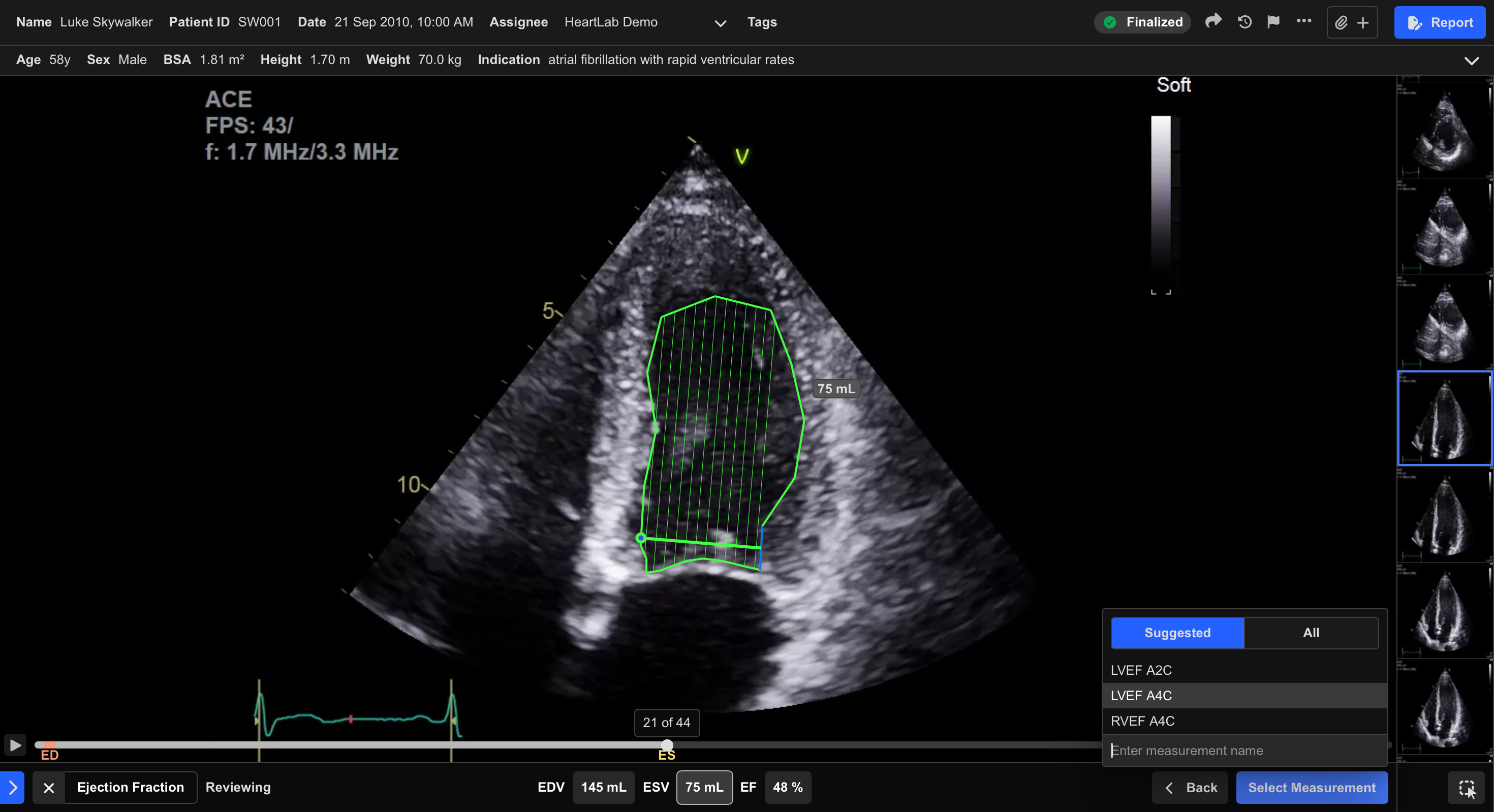
- Select Select Measurement or press Enter.
- In the pop-up window:
- Select the appropriate EF measurement label
- Optionally include associated EDV and ESV measurements
- Click Save or press Enter.
The EF measurement is saved to the study. If selected, the associated EDV and ESV measurements are also saved and annotated on the relevant clips.
Frame selection has a significant impact on EF reliability. Use frames that best represent true end-diastole and end-systole before tracing the EDV and ESV contours.
 MFR
MFR