

Study Management
Flagging Studies as Urgent
Mark studies as urgent from the Study List or Study Viewer to prioritise review.
Flagging Studies as Urgent
HeartLab allows users to flag studies as urgent to help prioritise time-sensitive cases and streamline clinical workflows.
Urgent studies are visually highlighted with a red flag and automatically moved to the top of the Study List, making them easier to identify and review promptly.
Flag a Study as Urgent
Studies can be flagged as urgent from either:
- The Study List
- The Study Viewer
From the Study List
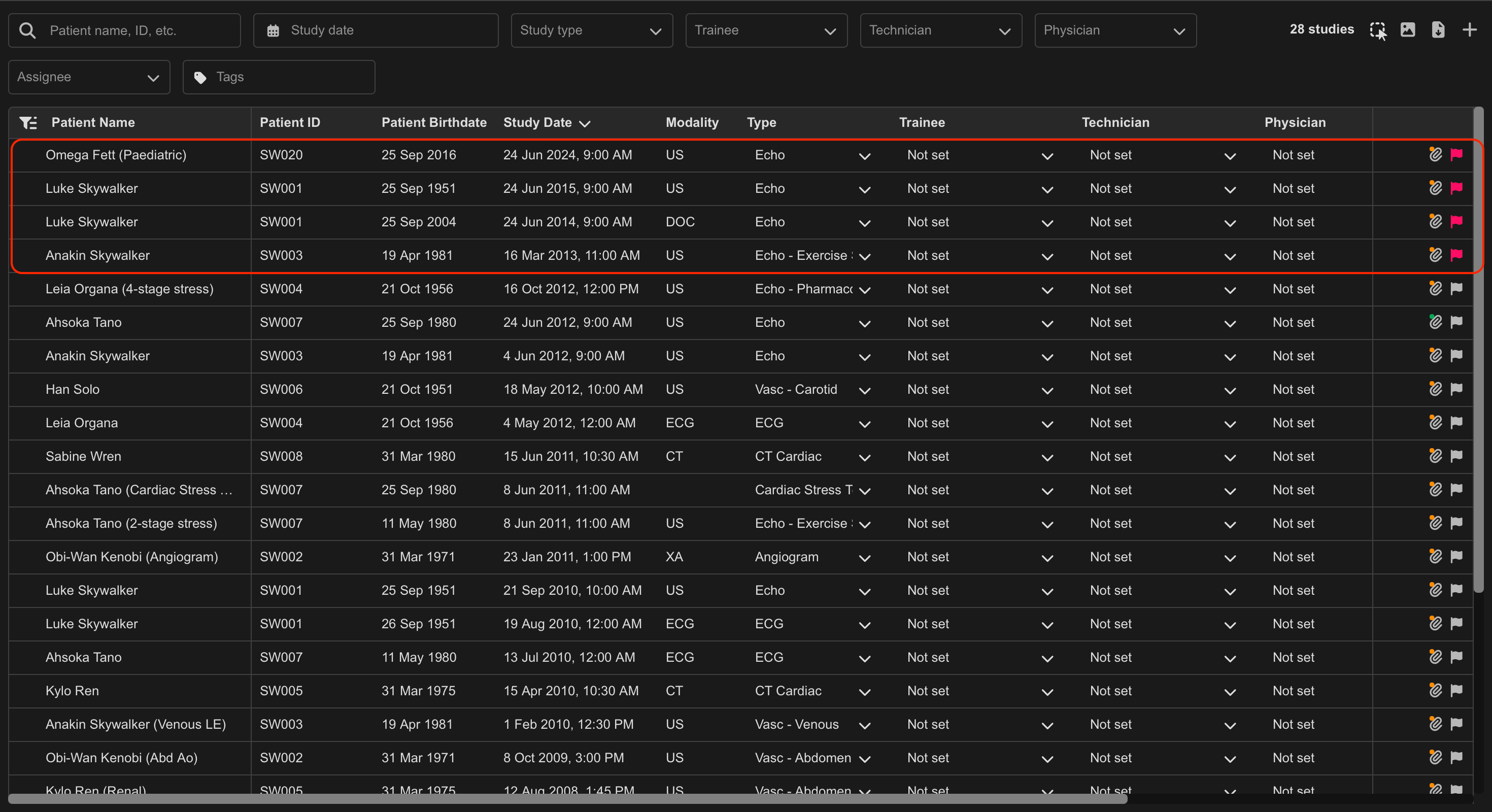
- Locate the target study in the Study List.
- Select the Flag icon.
The flag changes from grey to red to indicate urgent status.
From the Study Viewer
- Open the target study.
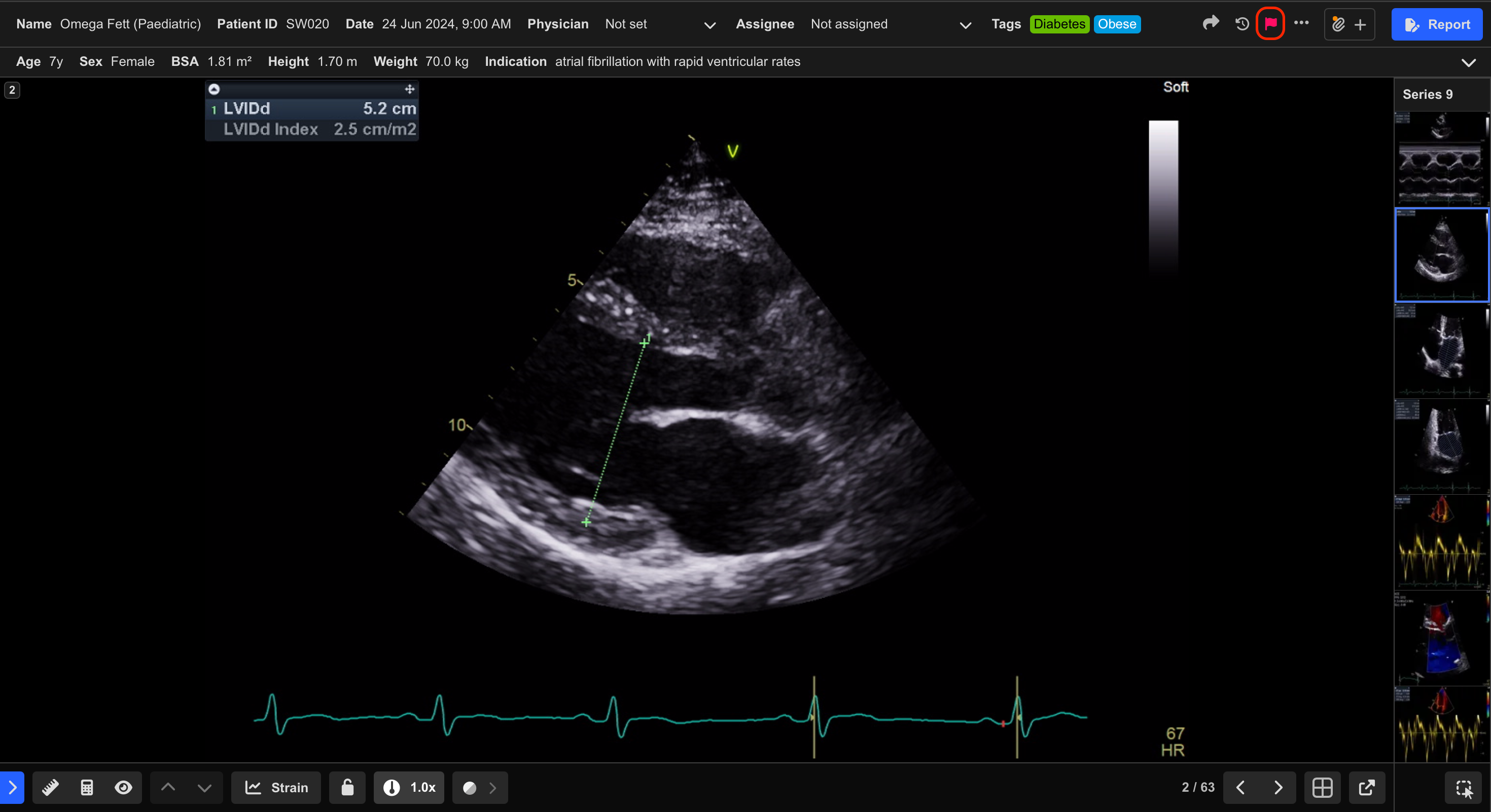
- Locate the Flag icon in the Patient Information Panel.
- Select the icon to mark the study as urgent.
Urgent studies automatically appear at the top of the Study List, regardless of the current sorting configuration.
Remove the Urgent Flag
To remove urgent status:
- Select the red Flag icon again.
The study returns to its normal position within the Study List.
Use urgent flags consistently within your organisation to help avoid alert fatigue and maintain effective prioritisation workflows.
 MFR
MFR