

Z-Scores
Z-Scores
In paediatric studies, z-scores standardise cardiac measurements against a patient’s growth parameters and reference populations.
When configured in HeartLab, z-scores appear automatically alongside supported measurements during review and reporting, helping clinicians quickly assess whether structures are:
- Within normal range
- Enlarged
- Abnormally small
This provides immediate clinical context directly within the workflow.
Configure Z-Scores
By default, z-scores are disabled.
To configure z-scores:
- Navigate to Settings → Measurements → Z-Scores.
- Locate the desired measurement.
- Select the publication dropdown.
- Choose the desired reference publication.
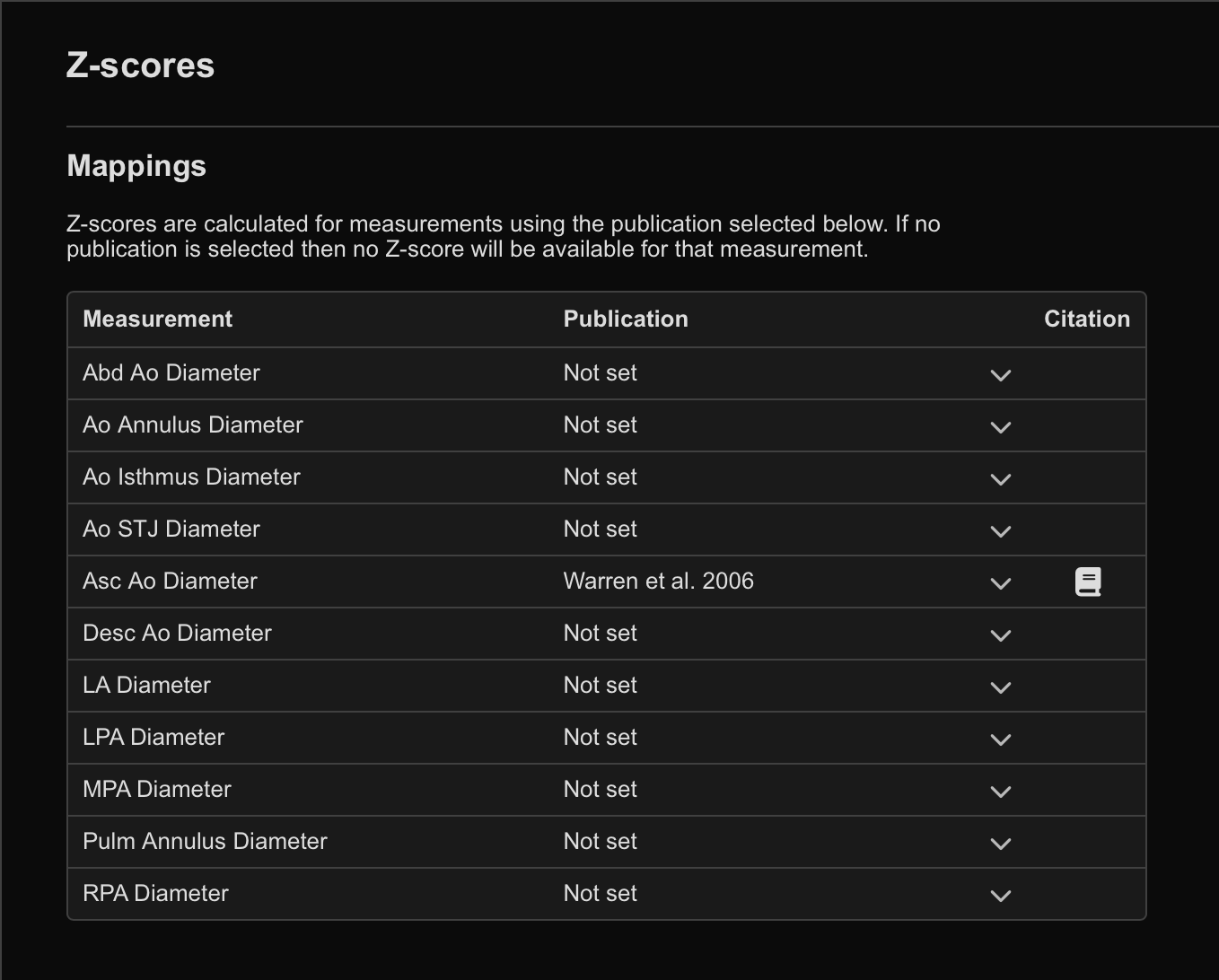
To view additional information about a publication:
- Hover over the Citation (Book) icon beside the publication.
This displays information such as:
- Publication details
- Applicable patient age ranges
View Z-Scores in Studies
Once configured, z-scores automatically appear within the measurement card for supported measurements.
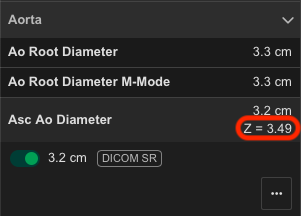
If the patient’s age falls within the valid range of the selected publication:
- The z-score is displayed automatically during review and reporting.
Add Z-Scores to Report Templates
Z-scores can also be included within report templates.
Measurement Fields
When configuring a measurement field within a report template:
- Select the Z-Score option alongside:
- Unindexed values
- BSA-indexed values
Reporting Calculations
When using:
measurement.format()measurement.getValue()
within reporting calculations, specify:
indexing: "zScore"
 MFR
MFR